When you design an ERP, there is always a temptation to make it capture every piece of information that management might eventually want to report on.
After all, if you want to report by region, service type, management group, funding source, programme or business unit, why not simply add another dimension?
Because there is a difference between what you need to capture when a transaction is entered and how you want to analyse that transaction later.
That distinction is important.
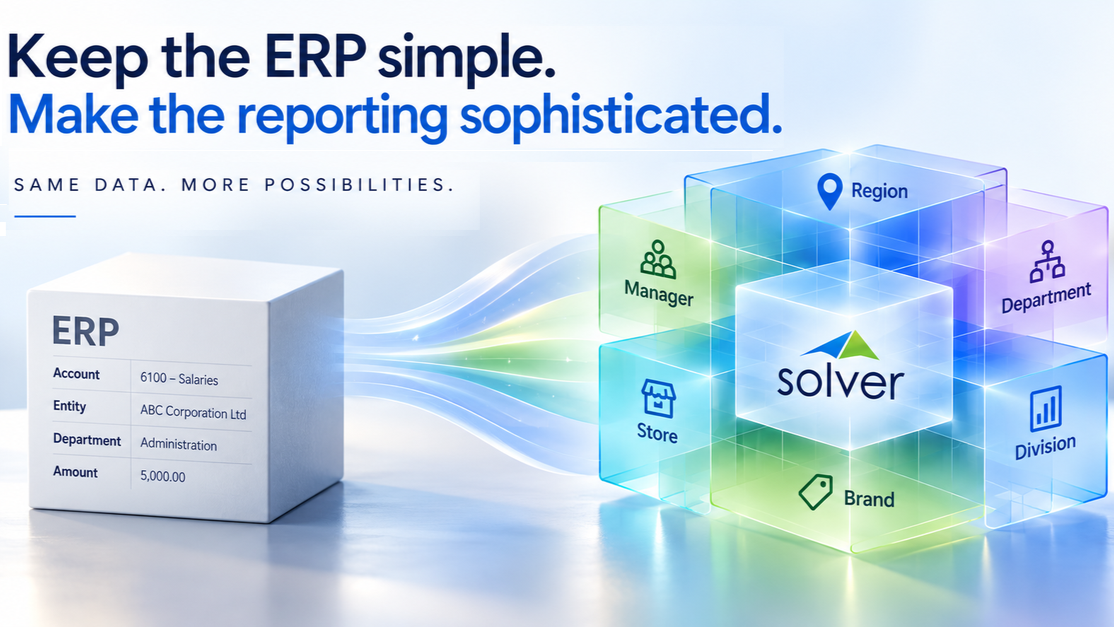
Keep your ERP data entry simple. Add reporting power in Solver.
On the ERP side, show a relatively simple transaction with Account, Entity and Department. The Solver side should branch into several different reporting classifications such as Region, Management Group, Service Type and Strategic Category. Modern professional financial-technology style. No excessive text. Wide landscape format suitable for a website hero image.
Your ERP has a job to do
An ERP is primarily there to run the business and maintain the integrity of its transactions.
When someone enters an invoice, processes a purchase order or posts a journal, the system needs to capture the information required to process and account for that transaction correctly.
Financial dimensions are an important part of that structure.
In Dynamics 365 Finance, for example, financial dimensions are built into the accounting structure and are used to classify transactions. That makes them extremely useful for financial processing and reporting.
But what happens when management wants to look at the same data in a way that doesn’t fit neatly into the ERP’s financial dimensions?
That’s where things can get complicated
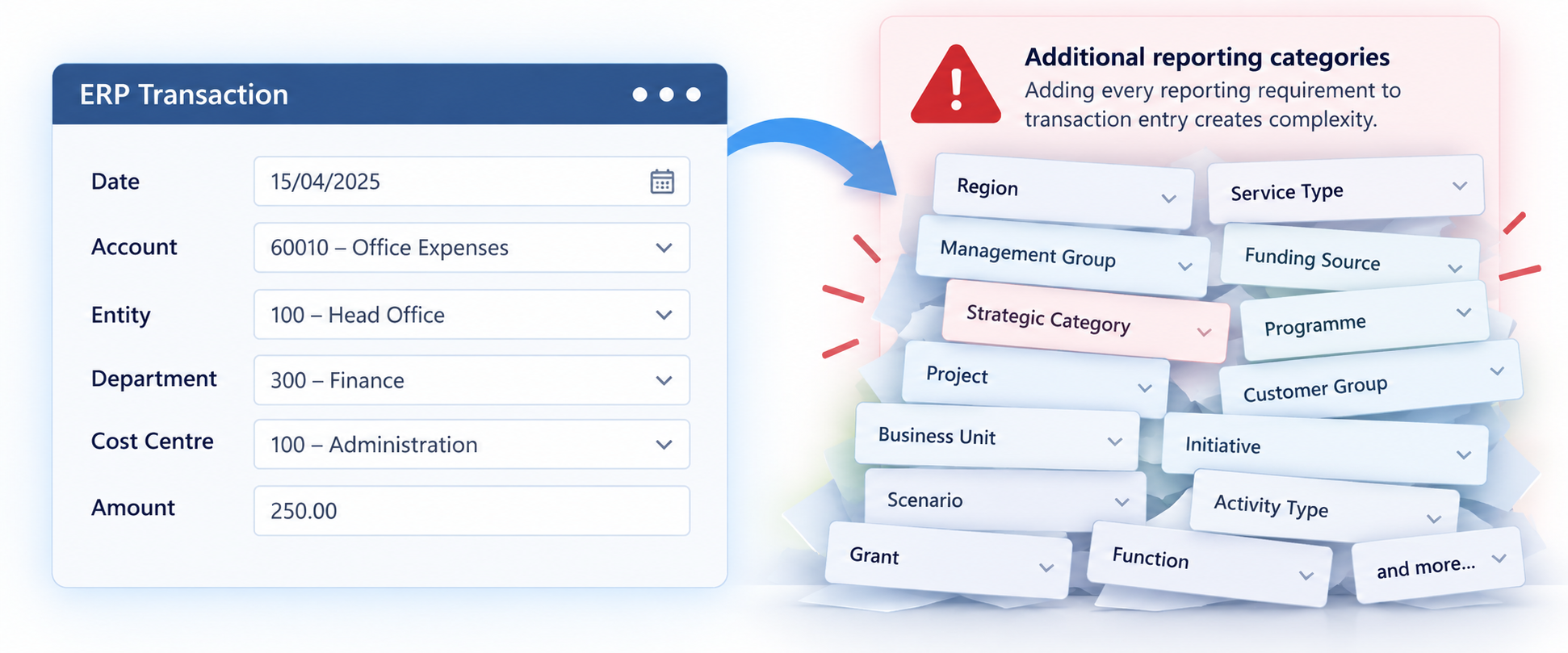
Reporting requirements don’t always belong in the ERP
Imagine an organisation that needs to report expenditure by:
- Account
- Department
- Entity
- Region
- Management responsibility
- Service type
- Strategic category
- Funding source
- Programme
Some of those classifications may be appropriate financial dimensions. Others may simply be ways management wants to group and sort the data.
A new management structure might be introduced. A region might be reorganised. A new programme might be created. The board might want a different view of expenditure. You don’t necessarily want every new reporting requirement to result in another change to the way transactions are entered.
More dimensions can mean more choices for users, more rules to maintain and more complexity in the underlying accounting structure. The result can be an ERP that is being asked to do something it wasn’t really designed to do: become the answer to every future reporting question.
The reporting layer can be different
This is where Solver becomes particularly useful.
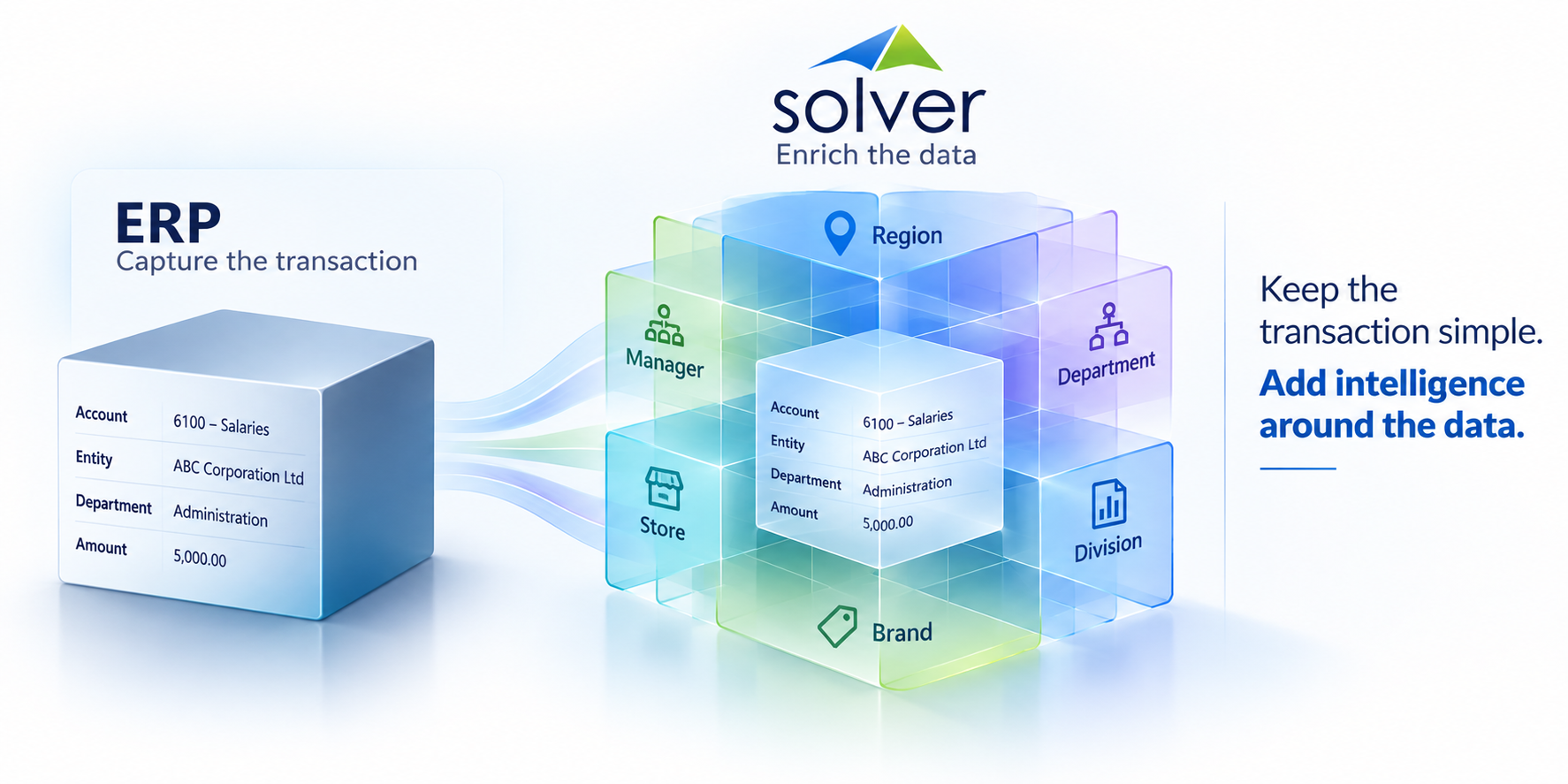
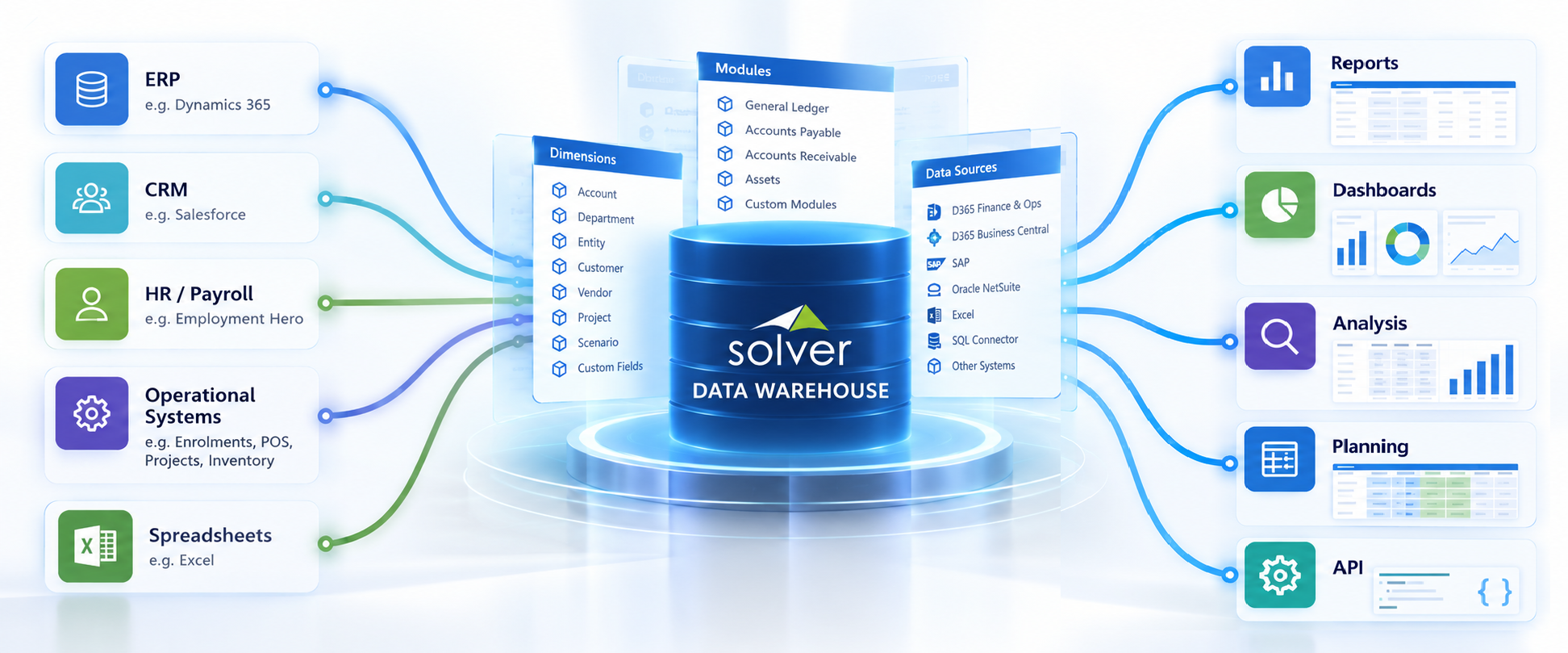
Instead of trying to put every possible reporting classification into the ERP, the core financial data can be brought into Solver’s Data Warehouse and enhanced there.
Solver allows dimensions to have additional attributes, giving organisations another way to classify and organise information for reporting.
That means the accounting structure can remain relatively straightforward while the reporting structure becomes considerably more flexible.
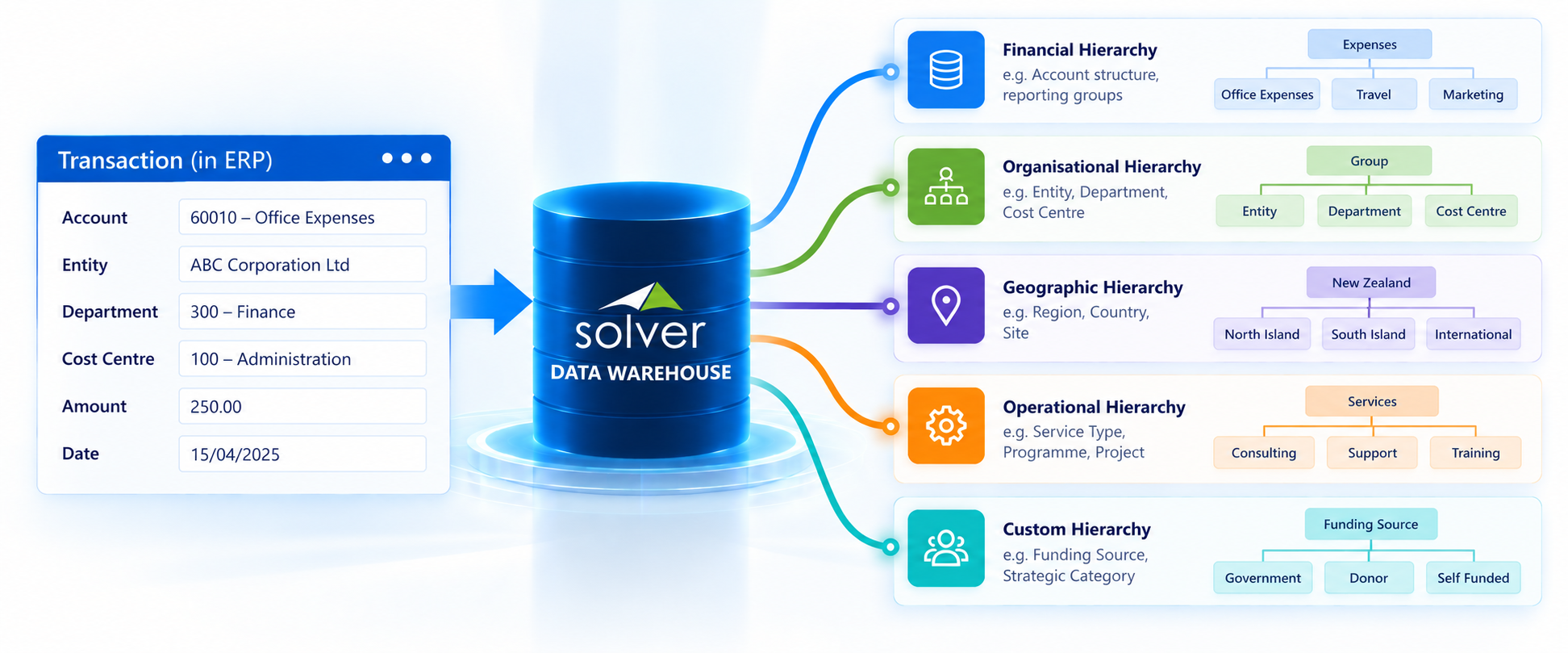
One set of data. Multiple ways to look at it.
Consider an organisation where the ERP records an expense against:
Account: 60010 – Office Expenses Department: 100 – Administration Entity: ABC
That’s enough to record the transaction.
But management might want to see that same transaction as People Costs or Corporate Services or North Island or Support Functions
Those classifications don’t necessarily need to become part of the original transaction, they can be added to the reporting model.
This is one of the key differences between recording information and analysing information. The accounting system records what happened. The reporting system gives you flexibility in deciding how you want to look at it.
Different people need different views
A regional manager might want to see the same information grouped as: North Island → Corporate Services → Administration
And the board might want: Operating Expenses → Support Functions
The underlying transactions haven’t changed. What changes is the way the information is classified and presented for each audience.
That is the real value of having additional reporting structures available in Solver. One set of financial data can support multiple views without requiring the underlying ERP transaction to be restructured for every reporting requirement.
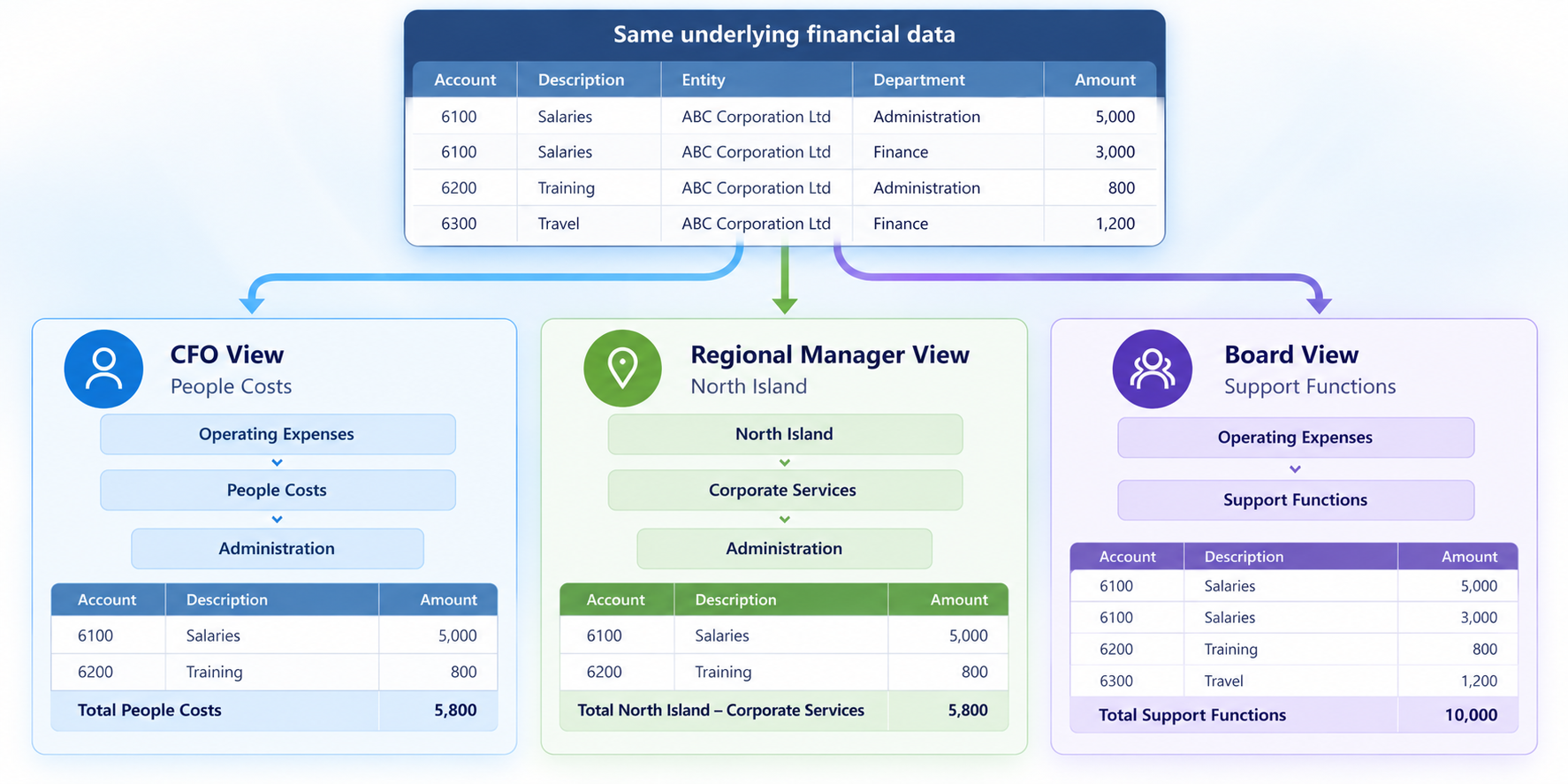
Keep the ERP simple. Make the reporting sophisticated.
This isn’t about replacing the ERP. It’s about recognising that the ERP and the reporting platform have different jobs.
The ERP needs to be reliable, controlled and practical for processing transactions.
The reporting layer needs to be flexible enough to answer the questions management is asking today — and the questions they will ask next year.
That is where Solver’s ability to add attributes and alternative reporting structures becomes valuable.
You don’t have to compromise the accounting structure simply because management wants another way to analyse the numbers.